
Acumatica 2026 R1 is out, and our team has had a chance to dig in. We asked everyone what they were most excited about. A few people independently arrived at the same observation: sometimes the simple things turn out to be the biggest game changers. Here’s what our team is talking about, in their own words.
The AI Assistant is a different kind of upgrade
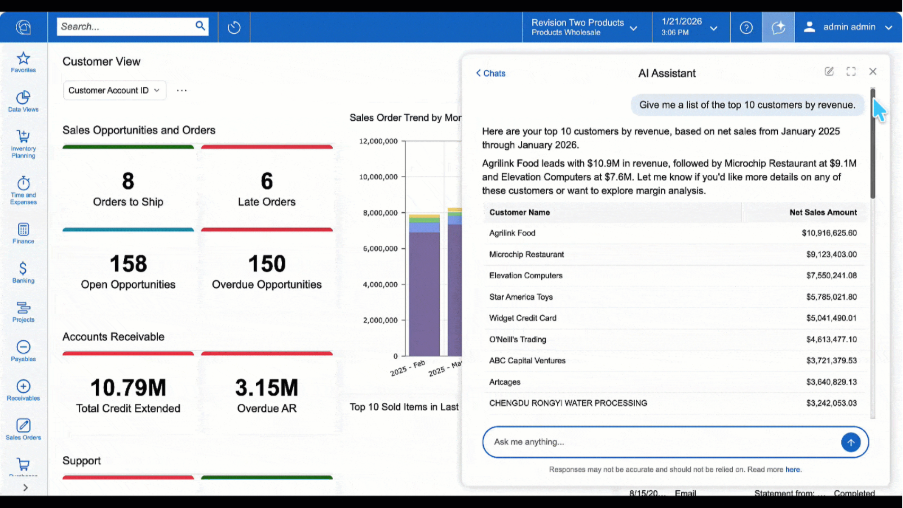
Ask most ERP users where data lives, and they can tell you. Ask them how to get to it quickly, and the answer usually involves a trained user, a custom report, or a ticket to someone who knows the system well. That friction has been constant since ERP’s inception.
The AI Assistant in 2026 R1 is designed to address that directly. Users can type a plain-language question and get a response as a table, chart, or pivot view. If the answer is useful, they can push it to a dashboard in a single click. Security follows existing Generic Inquiry permissions, which means non-technical users get access to the data they’re allowed to see without needing to understand how to build a report.
This was the feature that generated the most enthusiasm across our team, and the reactions came from different angles.
From the technical side: “To be able to ask your ERP system a question in plain English and get an answer is amazing,” said Mike Scott, our ERP Solutions Architect. Joe Augello, one of our Senior Implementation Consultants, focused on what the interaction actually looks like in practice: users ask questions, get meaningful answers as tables or charts, drill into records, and promote results to a dashboard in one step. “This feature represents a major step toward making ERP data more accessible, intuitive, and impactful for everyday users.”
The sales perspective aligned closely. Mason Kinny, our ERP Account Executive, hears a consistent ask in discovery: teams want faster insights without going through report writer or manual report generation. “This feature directly aligns with that need.”
AI Studio, also part of this release, extends the capability further with reusable system instructions, sensitive data masking, custom connections, and anomaly detection driven by Generic Inquiries.
The shop floor finally has its own screen
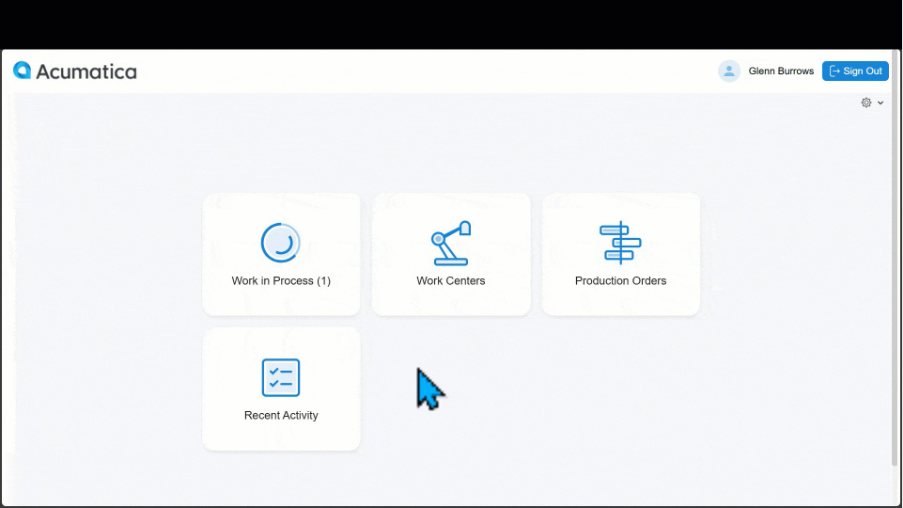
For manufacturers, one persistent challenge is getting accurate, real-time data from the people doing the work. Shop floor employees are not ERP users in the traditional sense. They don’t need to navigate between screens or carry full system knowledge. They need to clock in, report what they made, flag what’s wrong, and get back to work.
The Shop Floor Kiosk in 2026 R1 was designed with that in mind. It’s a purpose-built, full-screen interface that lets operators log in quickly, report completed quantities, view materials and work instructions, and see what’s in progress.
The reaction from our manufacturing and client support teams was immediate. Mona Goodwin, our Senior Consultant, described the core value plainly: “The manufacturing kiosks enable production employees to interact without needing to leave the production floor or have full working knowledge of Acumatica,” adding that it’s especially important for facilities where shop floor activity isn’t visible to the front office in real time.
Rosie Loetterle, our ERP Client Support Lead, framed it from a design standpoint. The kiosk was designed from the perspective of its users. “This simplifies time spent logging into the system and navigating around to enter data so they can focus on the actual physical work needed to accomplish.”
And Nancy Bielke, Sr. ERP Software Sales Executive, who has seen many realities on the manufacturing floor, kept it short: “The shop floor kiosk is the best thing since sliced bread.”
The real-time write-back of labor, materials, and production status feeds directly into costing and scheduling. The front office sees what’s happening as it happens, not at the end of the shift.
CRM improvements that make a Tuesday better
Not every meaningful feature makes the keynote. Haylee Hicks, our Senior Client Success Manager, had some of the most grounded picks in the release.
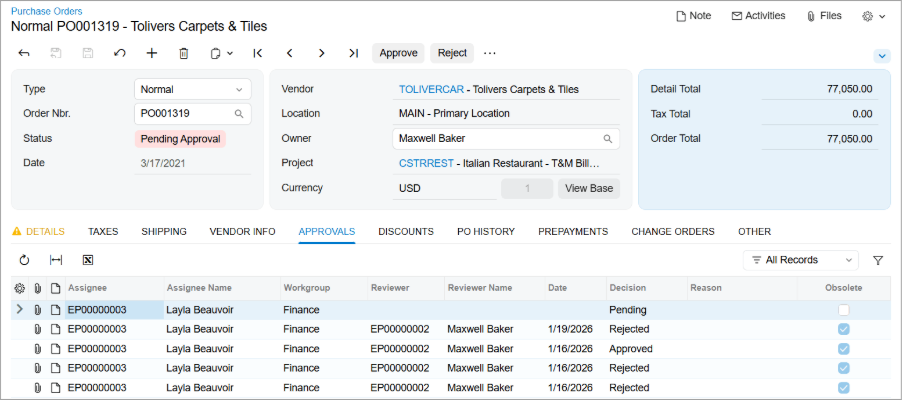
Approval history now persists throughout a document’s full back-and-forth. Previously, if someone rejected a document and the user put it on hold, the history of the rejection was cleared. That made it difficult to understand what had happened or what the document’s status should be. That information is now retained and visible in one place.
Duplicate validation for customers and vendors has been a topic clients have asked about for years. It helps keep account master data clean and prevents fragmented histories from building up over time.
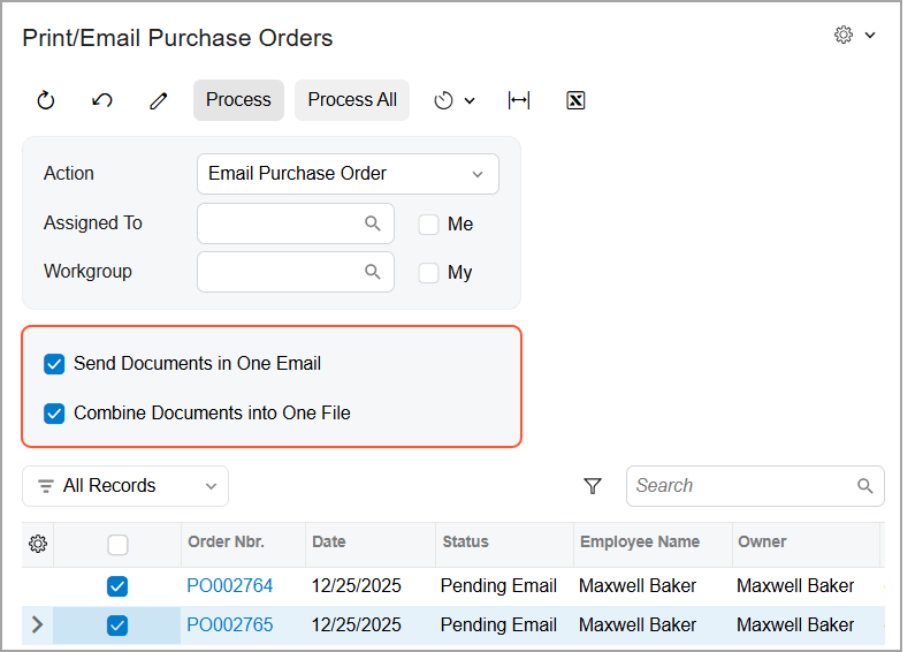
Multi-document email consolidation means customers receive a single email containing all relevant invoices, rather than a separate email for each invoice. A small change on the configuration side, a noticeable one on the relationship side.
Haylee’s take on all three: “Some of these are fairly simple features, but sometimes the simple things in life are actually huge gamechangers.”
Fewer manual steps in AR and AP
For teams handling high-volume accounts receivable or payable work, credits, refunds, and out-of-balance scenarios have always required more manual steps than they should.
Mason Sieling, Senior Consultant, spent time working through the specifics of what changed here. Refunds can now be applied directly and more flexibly in both AR and AP. The Documents to Apply tab now includes debit adjustments and prepayments alongside other document types, giving a complete picture in one place. A single refund or credit can be matched to multiple documents at once, with the system calculating the application amounts automatically. On the AR side, customer refunds can be applied across multiple invoices and credits in a single process. Vendor refunds can also be created directly from bank transactions, removing a layer of manual entry that previously had no shortcut.
“The balance validation and auto-calculation alone are going to save a significant amount of time and reduce the risk of out-of-balance applications. For anyone doing high-volume AP or AR work, this is a meaningful improvement,” Mason said.
Progress billing automation for project-based businesses
For project-based firms using progress billing, calculating completion percentages across multiple revenue budget lines has always been a manual exercise. Review the cost lines, estimate the percentage complete, and enter values one at a time. It takes time, and the margin for inconsistency is real.
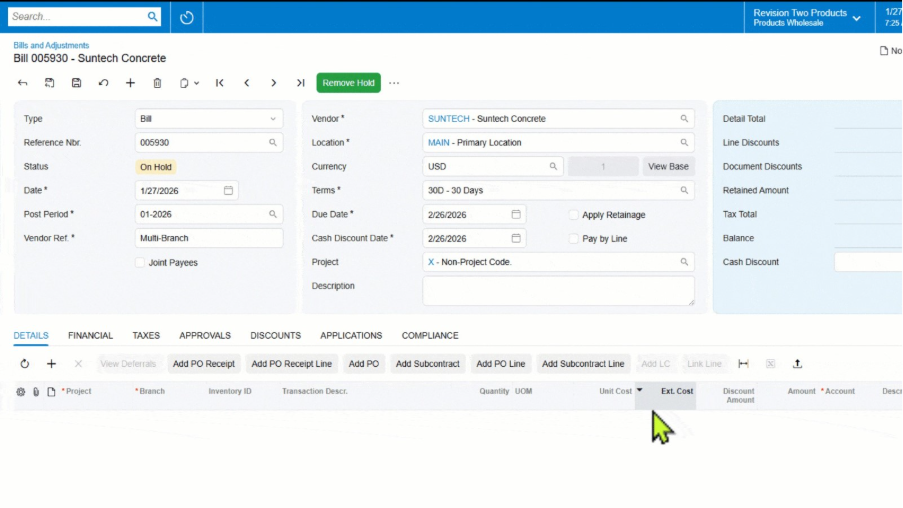
Dave Speas, our Functional Consultant on the construction and projects side, had a specific reaction to 2026 R1’s automated revenue percentage calculation, and some history with it. By linking cost budget tasks to their corresponding revenue budget tasks, Acumatica now automatically calculates the recommended billing percentage based on predefined rules. Project managers review and confirm rather than build the numbers from scratch.
“No more manually adding up different cost lines, then manually updating the Revenue Budget tab. Let Acumatica do the work for you. Let your PMs get back to managing the project rather than playing accountant.”
A few things worth noting for power users and developers
Two changes in this release are quieter but worth flagging for teams that do customization work or complex reporting.
Parker Tonra, our Software Developer, noted significant improvements to the Web Service Endpoints interface: color-coded icons, clearer indicators for inherited versus custom fields, and the actual DAC field name displayed directly in the UI. For anyone maintaining custom API endpoints, it reduces the time spent cross-referencing customization projects just to understand what you’re looking at.
On the reporting side, Willie Grothman, our Business Consultant, highlighted a change to Generic Inquiry parameter inheritance. A parameter defined in a parent GI can now be passed to child GIs without having to redefine it at each level. For teams building complex reporting structures, that’s a worthwhile reduction in setup and maintenance work.
What this means for your system
2026 R1 touches a wide range of functions, from how operators interact with the floor to how finance teams close out a credit, to how leadership pulls an insight from data they’ve always had. The features our team is most excited about are not all in the same module. What they share is that they reduce friction in places where friction has been accepted as normal.
If you want to understand what 2026 R1 means for your specific configuration, our team is a good place to start. Some features may require configuration changes or may roll out on a staggered schedule. We’re happy to help you understand what applies and what the path forward looks like.